Feeds:
Posts
Comments

Posts Tagged ‘student choice’

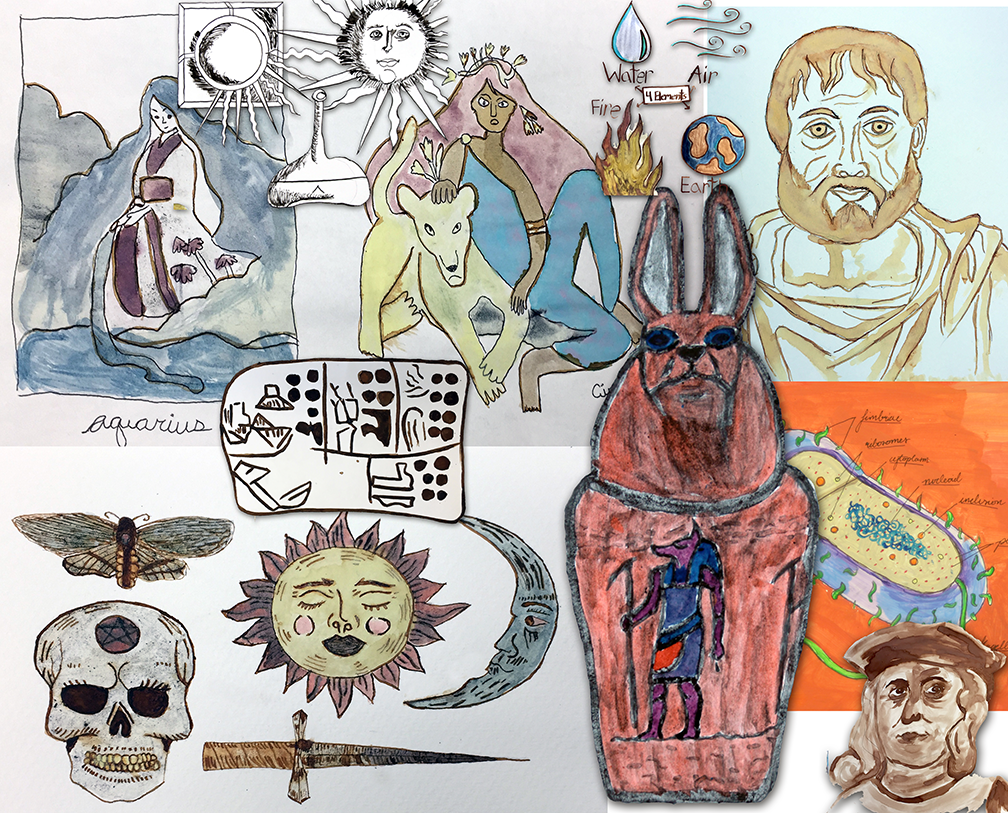
A collage of student-created illustrations using homemade ink and pigments, such as cochineal for the reds, Prussian blue for the blues, and iron-gall ink for the sepias.

It has been some time since I have written a blog post for this site. My work continues at Clark Planetarium, where I don’t get many opportunities these days to pursue the history, mineral sources, origins, properties, uses, extraction, refining, and hazards of the chemical elements. That is, after all, the main purpose of this blog site even if I have occasionally gone on tangents of global citizenship or science education in general. As a result of setting this site aside for several months, viewership has dropped off even if my passion has not.
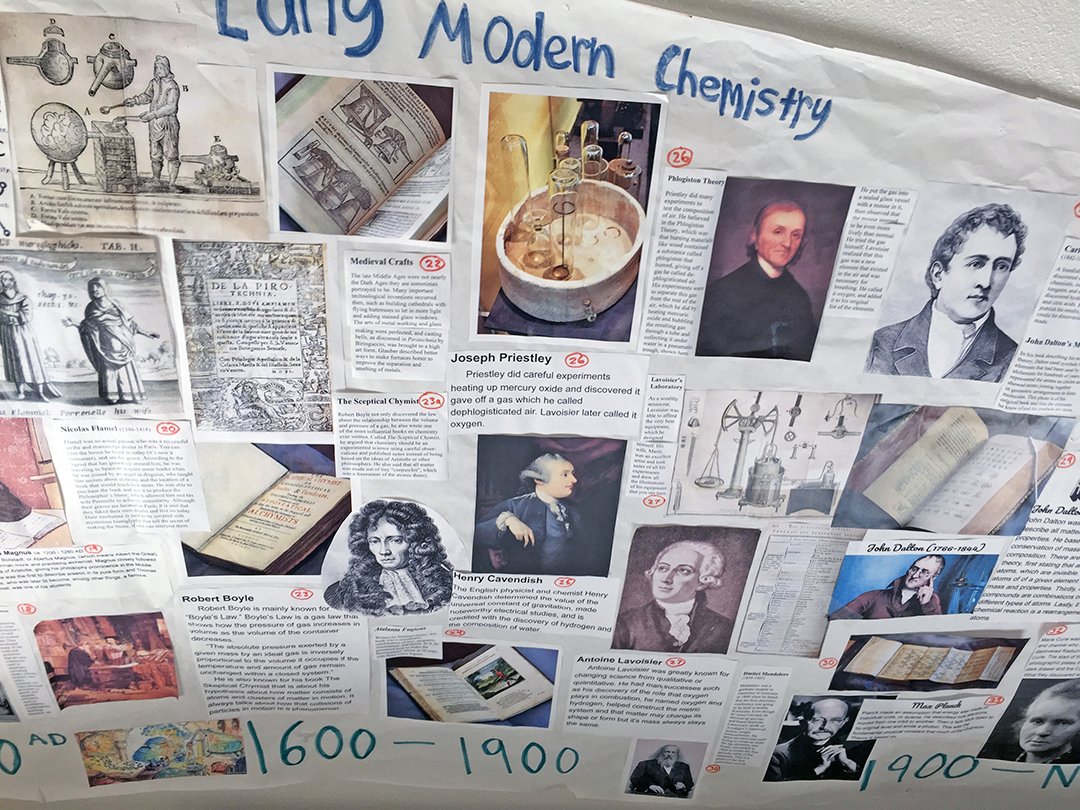
Part of a full-class banner on the history of chemistry, with each student assigned to do one image and caption.

I continue to work toward my doctorate, with my dissertation proposal going through several drafts this year. I wrote a longer version of the proposal (the first three chapters of the final dissertation, with chapter 3 in future tense) and sent it to my advisor in September. I wanted it to appeal to practicing teachers, but my advisor’s response was that it needed to be re-written in academic language and drastically shortened to less than 15 pages per chapter. Although I resist writing something that only a few Ivory Tower academicians will ever read, I know it must pass the Internal Review Board once it passes my committee, so I have done as he requested. I combined all three chapters together with my appendices, and my advisor has now completed a line-by-line edit. I am working through these suggestions over the next few days as schools shut down for Winter Break and our outreach schedule at the Planetarium eases off.
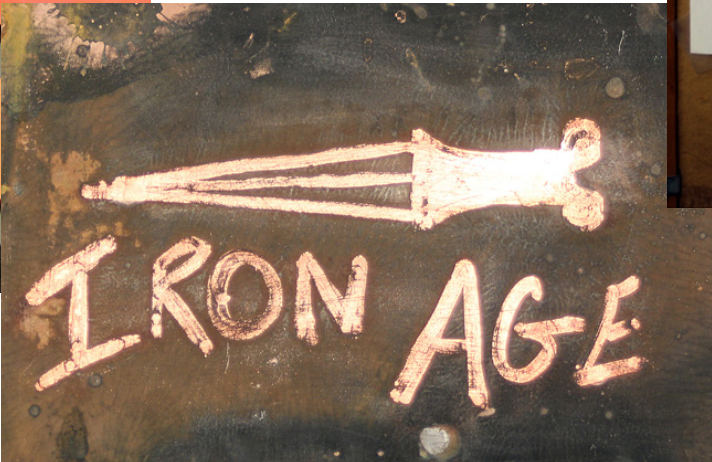
A copper etching done by painting fingernail polish on a copper sheet, then placing in a sealed container with salt and vinegar potato chips with a little extra salt and vinegar. Once corroded, the nail polish is removed with acetone. This was for a project on the iron age for the history of chemistry unit.

The core of my dissertation, as it is for any, are the research questions. These are mine:

RQ 1: To what extent can STEM teachers implement student-created digital media projects (SCDM) with three dimensions of choice to enhance student creativity, engagement, and content mastery?

RQ 2: To what extent can informal STEM education institutions develop and successfully implement a science communication contest to extend contact time and improve student motivation and science learning?
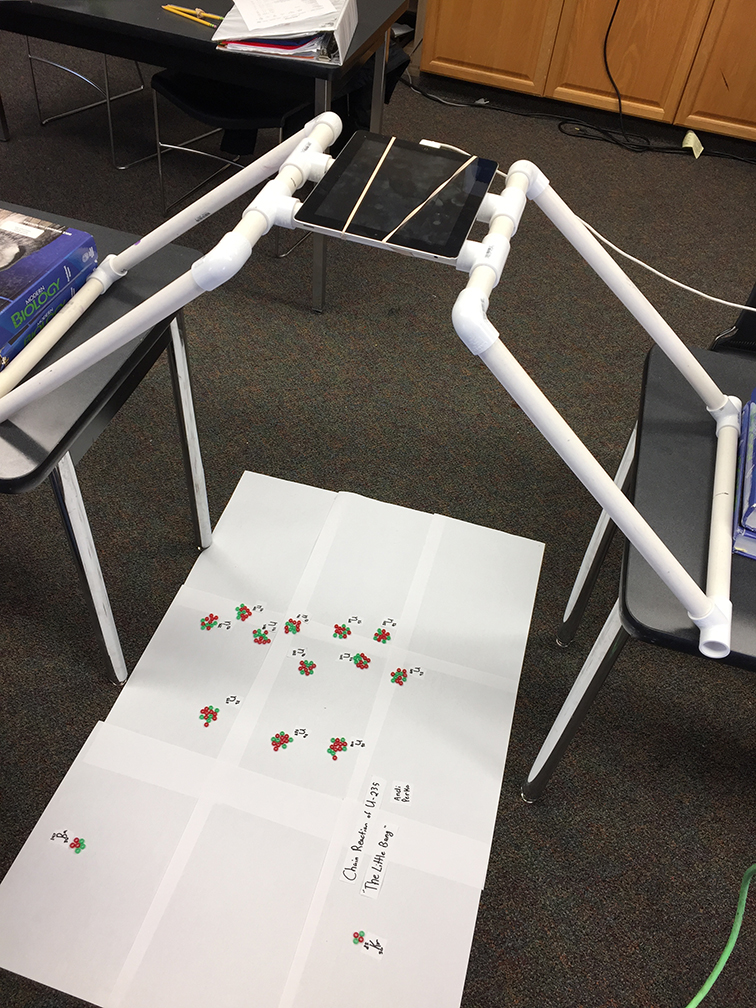
A stop-motion animation set-up for showing a chain reaction in a unit on nuclear chemistry. This frame shows three neutrons about to initiate the second order nucleus splitting.

As I see it, based on 33 years of classroom teaching experience, there are two problems of practice in STEM education (including chemistry). The first is the problem of student engagement, which I have talked about before on this site. I hope to see how student-created digital media projects can help enhance student engagement and lead to increased creativity, quality, and content mastery. This has been the main thrust of my research all along. As a planetarium educator now, I also see a problem of practice in how to increase our impact as an informal science education institution. We visit 6-8 schools per week (I average about two) and we can only teach one class at a time for about 45 or 60 minutes depending on the lesson, and can only visit a school once every two years (charter schools once every three years). That means we are missing over half of Utah’s sixth graders each year. We visited about 28,000 students this last year, and that is an exemplary task, but how much impact can we really have in so short and infrequent a time?

The second question implements the first through a science communication contest we are calling the Cosmic Creator Challenge, where students create their own digital media projects on the sixth-grade space science standards for Utah. You will notice in my first research question that I am using three-dimensional student choice as the experimental variable. I have not yet explained what 3D choice is on this website. Here goes:
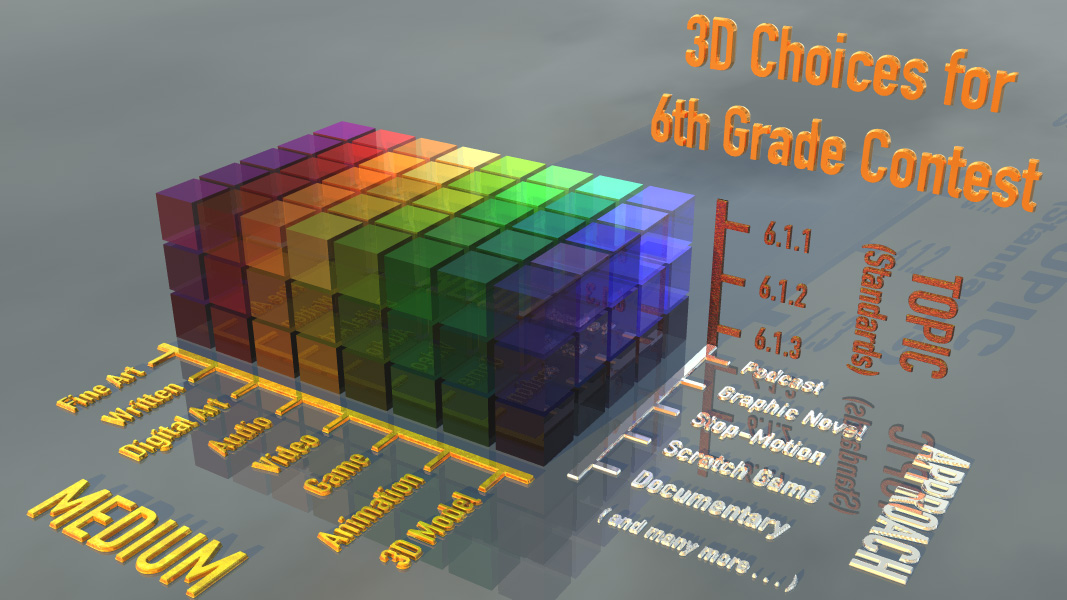
Diagram showing 3D choice for sixth-grade space science standards. The choices are the individual standards (topics), the medium, and the approach.

When students are given digital media projects as a way of demonstrating their mastery of chemistry or other STEM concepts, they have three dimension of choice. The first is the choice of topic. Usually, in project-based learning, students are able to choose a specific topic for their projects from a teacher-delineated list or as specified by subject-area standards or objectives. This is the first dimension – choice of topic. The second dimension is usually choice of approach – that is, exactly what format the project will follow. The easiest way to explain this is through the example of a video project: students can choose different video formats, such as a public service announcement (PSA), a news report, a TV commercial, a documentary, or a narrative film (with script, props, and actors). These two dimensions are what are usually given to students for a project-based learning experience.
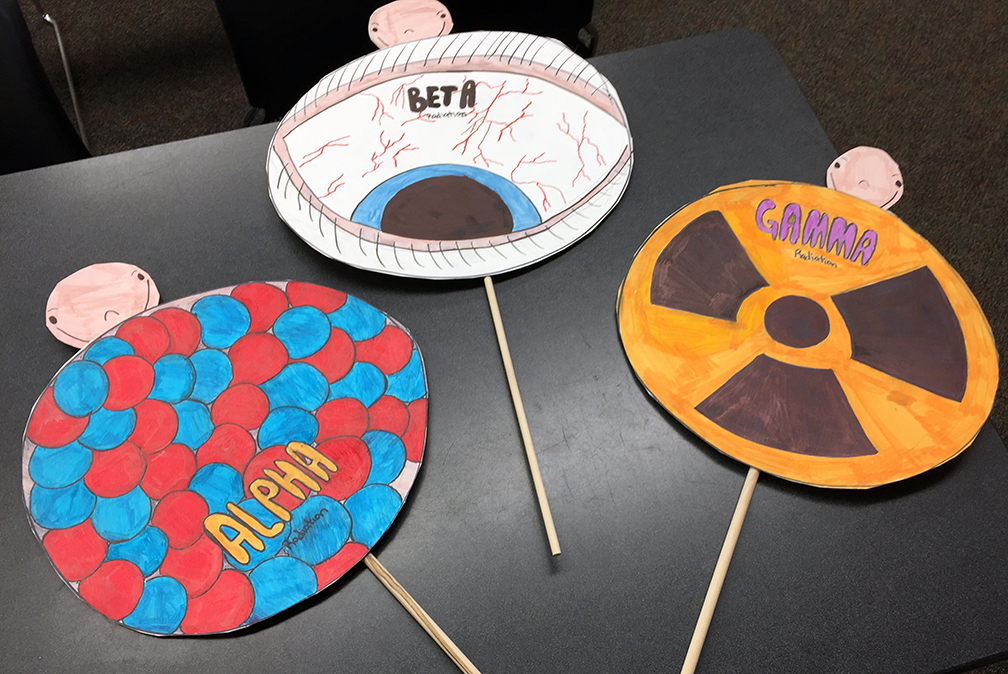
Puppets showing different types of radiations used in a student skit for a unit on nuclear chemistry.

But with digital media projects, there exists a third dimension. The choice of medium. Usually teachers choose this by having all students create a podcast or a video or a poster or a Scratch game. But what if we allow students to choose their own media type? There are many types of media now; the formats have proliferated and include digital images (pixel or vector-based); posters or infographics; desktop published documents; audio files; video files; presentations or slide shows; animations (several types, including stop motion); websites; games; and various types of augmented or virtual realities.

Once you combine all three dimensions, you have a huge number of possible choices for projects that can be based on students’ preferences, experiences, previous knowledge, and desires for learning. The potential for creativity is very high, with students coming up with projects that are unique, effective, fun, and communicate their chosen topic well. Here are just a few ideas for what my students have done in a first-year chemistry class:
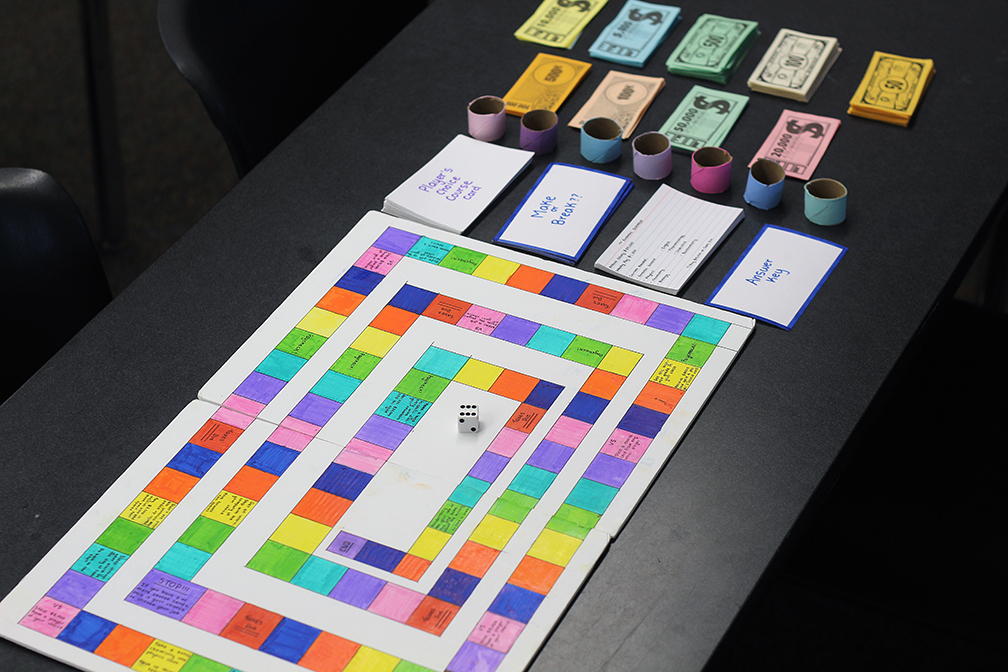
Chemistry careers game. Students start in college, pass chemistry classes, graduate, get a job, etc. similar to the Game of Life.

For our first unit on the nature of chemistry, I had a student who chose the topic of careers in chemistry and created a board game that combined aspects of several other games including the Game of Life. Students started the game in college and chose a chemistry specialty, had to pass classes with different life choices popping up, then graduate, find a job in their specialty, and work through to their first promotion while making choices along the way. In the process of playing the game, students learned about careers in chemistry. By creating the game, the student-creator had to research a great deal of information, and did so entirely through her own effort.

For a unit on the elements, students chose their favorite element (such as Thorium for an Avengers fan) and created a physical poster or infographic on the properties, uses, mining, refining, etc. of the element. They typed up text, inserted images and captions, and created a summary and crossword puzzle game for the back sides. Although the final posters were put together by hand with glue, it could have been laid out in desktop publishing or infographic software for easier editing. Other students were asked to use the poster and summary to play the crossword puzzle as their way of learning from the student-creators.
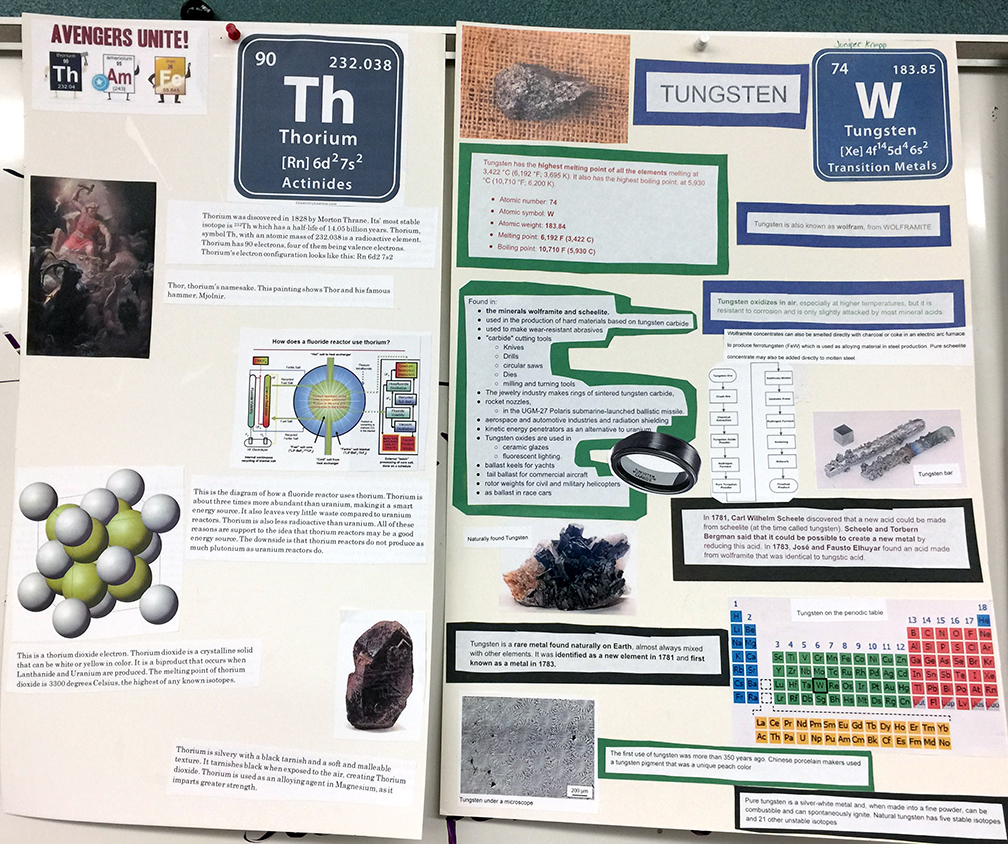
Student posters on thorium and tungsten. I especially like the Avengers Unite cartoon with Thor-ium, Captain Americium, and Iron Man.

On the same unit on chemical elements, a student choose to create a Scratch game on the element Bismuth called Billy’s Bismuth Bellyache, where answering questions about bismuth correctly led to the gradual building of a bismuth subsalicylate molecule (the active ingredient in Pepto-Bismol). She designed her graphics, stage, costumes, and created all of the coding necessary to play the game. Another student used Scratch to create an interactive word-search puzzle on Strontium or a Heal Dem Bones game for calcium.

A group of students in an A.P. Chemistry class compiled a joke book with cartoons, puns, limericks, poems, and song lyrics related to quantum mechanics. This was based on an offhand comment in the Star Trek: The Next Generation episode where data tries to learn about humor by studying a stand-up comedian on the Holodeck. The computer mentions that the funniest comedian ever based their jokes upon quantum mechanics. So I wondered if we could do that. Eventually, this will become a whole animated cartoon hosted by Boson the Clown to a crowd of electrons as they laugh their way to higher orbitals.
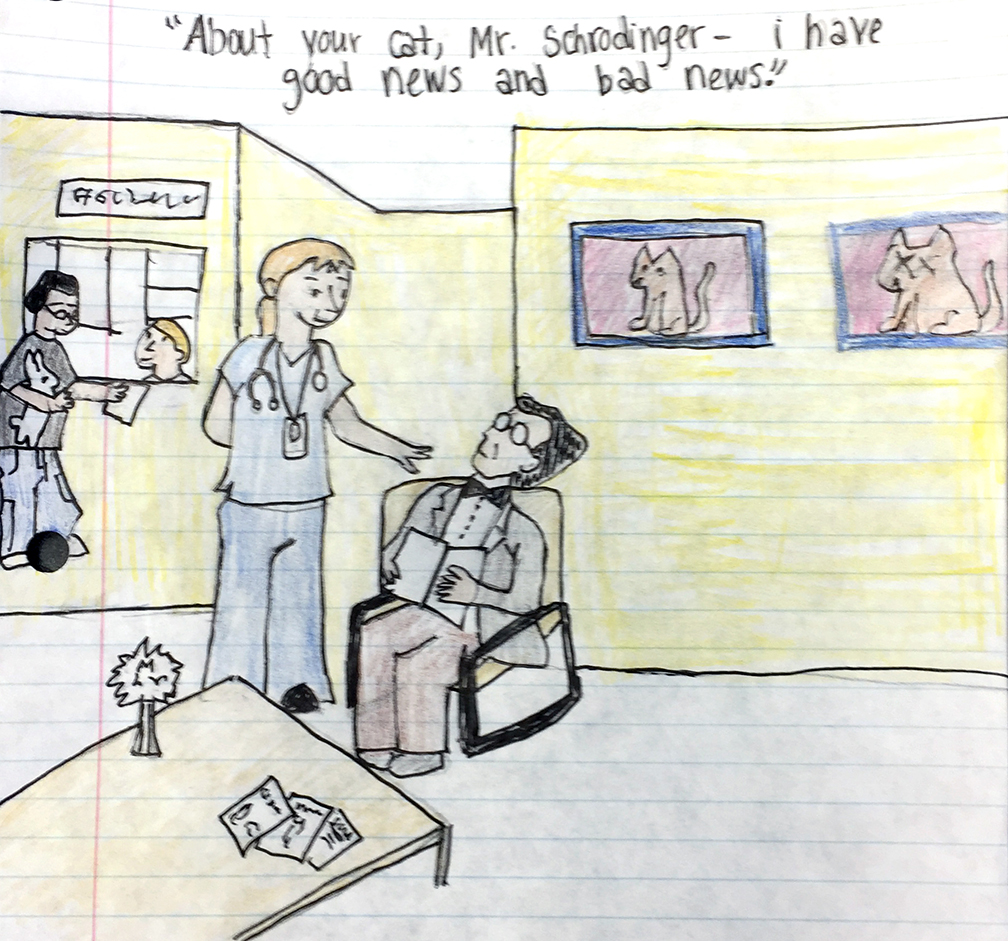
One of the cartoons from the quantum joke book. The character in the chair is a pretty good Schrodinger!

I have had student groups build banners on the history of chemistry, design HyperCard stacks (there is an old one for you) on the elements and their compounds, create videos on elements, create 3D models of molecules and ancient Greek matter theorists, do interviews of experts on the history of chemistry, visited chemical manufacturing plants such as beryllium refineries, cement plants, bronze statuary workshops that use the lost wax technique, chocolate factories, and artificial diamond manufacturers. All of these projects are based on some form of media design. As time goes on, I have done more to encourage student choice of medium and have seen incredible results.

Yet all of these great examples are anecdotal – wonderful stories, but not constituting the type of proof needed by other chemistry teachers and science department chairs to adopt student-created digital media projects (SCDM). This is where my dissertation comes in – I hope to gather statistical evidence that other teachers can effectively adopt these same ideas for SCDM projects and 3D choice in their own classrooms, and that they will see enhanced student creativity, engagement, and learning. Once my proposal is approved, I will establish a science-communication contest at the planetarium for sixth-grade students to demonstrate their understanding of space science concepts (part of the sixth-grade science standards). I will gather data from their projects and student peer assessments to see if creating these projects leads to increased test scores as evidence of learning. By this time next year, this dissertation will be completed and defended and I will be a large part of the way to proving my hypothesis. Then I can return to exploring the elements once again and think of retirement and traveling to more mine sites.
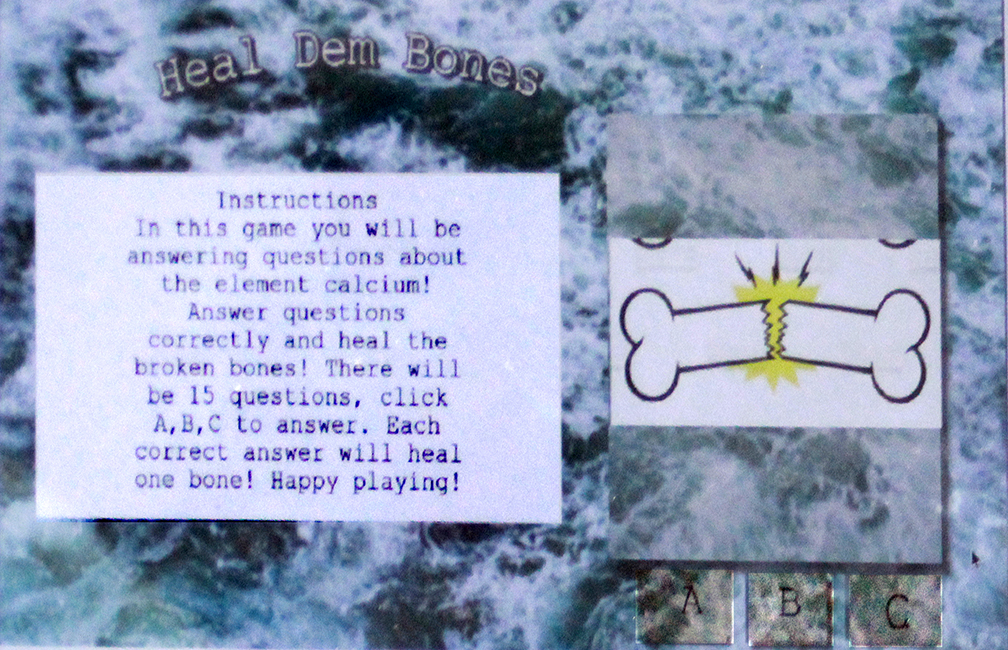
The main interface for the Heal Dem Bones game on calcium. The student designed the graphics and buttons and programmed the game, so that by answering questions about calcium, you heal a set of broken bones.

In the meantime, I will report on the elements as much as possible, but my posts will continue to be sparse until then. Bear with me; the end will be worth the wait. I hope the examples shown here will inspire you to try out new ideas and use some student choice of what types of media projects they will create. For any unit, you can specific the topics (or your state standards can) and let students choose their specific topic, medium or software, and their approach. You will be amazed, as I have been.
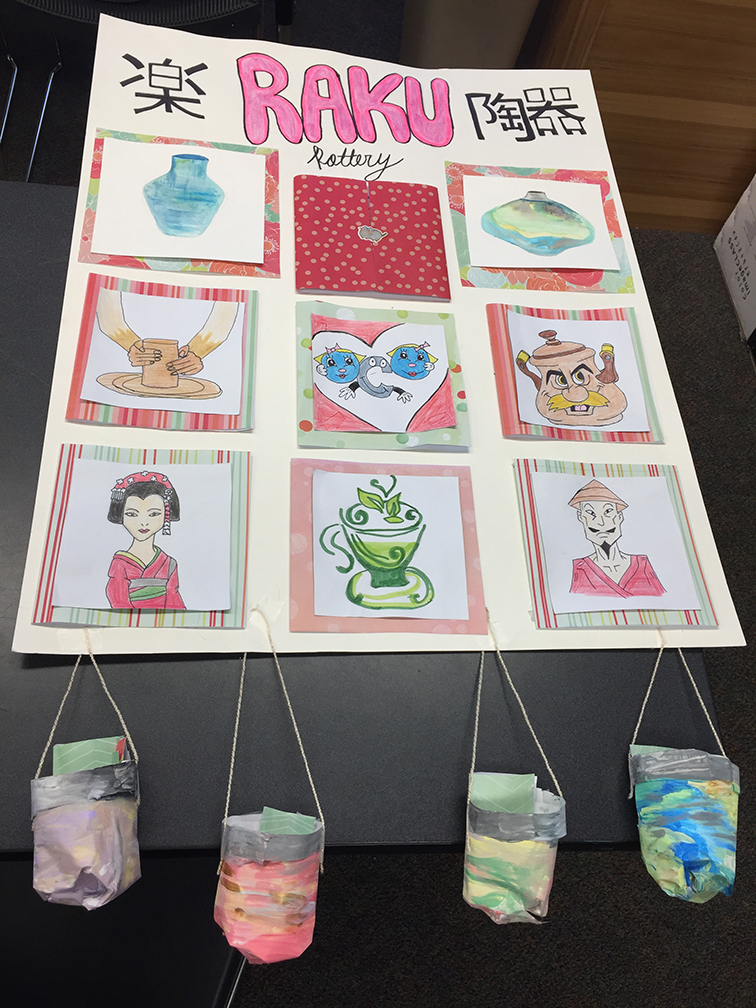
An interactive poster on Raku pottery for a unit on the history of chemistry. Even a standard project like a poster can be enhanced if you allow students to use their creativity. This poster has windows you can open to see questions, with answers in the pots below.

Read Full Post »

Frames from a project on stellar evolution created in Wick Editor, a linear animation/interactive software. Students can choose which type of software and which type of project (here a branching informational program) to demonstrate mastery of their chosen STEM concept.

The purpose of this post is to invite you, as a STEM classroom teacher or informal educator, to participate in my doctoral dissertation research study. I need teachers to look over the new website I’ve been putting together at https://science-creativity.com (everything on it is free – I made it with WordPress which is why it is a .com website) and provide feedback in the following ways:
A – How functional and usable is the website? Are there any problems or issues that need to be resolved?
B – Are there any features you would like to see that are not currently there, including blog post topics related to teaching creativity and innovation in STEM classrooms that you would like to learn about?
C – If you are planning to conduct a project-based learning activity in one or more of your classes before the end of June 2023, please consider having your students create a project using media design software as described on the website. They could choose one of the 40 or so projects described on the Projects page (where there are also excellent student examples). Have your students try out the videos linked on the Software Training page to learn any software they do not know and then use that software to create their own media content to present to each other.
D – If your students do try out the software training videos and create a STEM media project, then please share good examples with me and I will post them on this website. You could explain it as a competition – only the best projects will be selected and displayed. The winning students and their parents will need to sign consent forms if they want recognition by name.
E – I will ask you to fill out a survey on how well the project went with your students, to what extent they used the training videos, the level of their creativity, etc. Since I will be using your responses in my final dissertation, I will also ask you to sign a consent form. Both of these forms will be posted to the https://science-creativity.com website. If you decide to participate, I will send them to you.

Two frames from an Animaker resume, one of the types of projects described on my website. Instead of the usual static Powerpoint or Google slideshow, why not allow your students to do something with a bit more pizzazz, such as an animated slideshow or Prezi?

This is a lot to ask, especially so far into the school year. Any feedback you can give will be helpful, not only for my final dissertation but to improve this website as a teacher resource. It is entirely free and always will be, and is a work in progress. I will upload additional posts as it becomes an increasingly important focus of my work going forward. With this announcement, the site is officially in beta form. Let me know how it can become more useful for you and what features or topics you would like to see. Spread the word. I can be reached at: David Black, elementsunearthed@gmail.com or write a comment to this post.

In the meantime as I continue to build this site, I am proceeding with the revisions to my research proposal. I mentioned last post that I have focused in on a final three-part research question, which is the following:

To what extent can STEM teachers implement choice boards for using browser-based media design software to:
A – promote differentiation, access, and equity through Universal Design for Learning (UDL)?
B – establish the components of “Gold Standard” Project-Based Learning (PjBL)?
C – enhance student creativity and Social and Emotional Learning (SEL)?

I have to establish a need for this line of research, how it fills gaps in previous studies, and why my approach will sufficiently answer this question. These are the first three chapters of the final dissertation and what I am working to revise right now. I have written extensively on this website about why such research is needed, but it is finally time to move forward with the actual study. As described in my last post, I will be tasking my students with three major projects over this semester, culminating with the STEAM Showcase at the end of April and the Stanford Innovation Lab project in May. Each project involves using choice boards and media design software to demonstrate STEAM concept mastery.

A unit choice matrix for my biology students at New Haven School. Concepts with green bars are covered in class, and concepts that are open must be completed through student-created projects. The types of possible projects are listed horizontally.

The idea of choice boards is an extension of what I was doing with my classes at New Haven School. I built a choice matrix for each unit, listing the unit concepts vertically and the types of projects they could do horizontally, as shown here. On the back of the sheet I listed a series of questions for the unit; if students knew the answers, they would be well prepared for the unit test. It acted as their study guide. On the matrix, the horizontal colored lines represent projects or concepts we covered together in class through activities, videos, or lectures. The open topics were the ones the students would need to learn through creating their own projects. Since the school’s email system was tightly locked down (because it is a residential treatment center) and we only had Chromebook computers, I couldn’t use very many types of software – only those that didn’t require an email verification and were browser-based. I taught my students how to use Scratch, SculptGL, Tinkercad, and a few others. Because Canva requires email verification, we couldn’t use it, so any layout design had to be done by hand or I had to design it for them; our Ad Astra newsletters in astronomy were laid out on my computer using Adobe InDesign. I didn’t know about Photopea or Wick Editor at the time or I would have used them. Many of the examples I have of excellent student projects were therefore done by hand.

Scratch by MIT is an excellent method for students to demonstrate their mastery of STEM concepts by creating an interactive game or quiz, such as this test on types of rocks. It can be programmed to be self-scoring and choose random questions, as shown by my training videos on the website.

The unit matrix worked fairly well at showing students the types of projects they could do with the limited software available to them and included hand-drawn options. Now, with my dissertation, I am focusing on browser-based media design software through the lenses of universal design for learning (UDL), project-based learning (PjBL), social-emotional learning (SEL), and student creativity. With more software available to regular public or private school students, they need more extensive lists of choices with better descriptions. My dissertation committee chairperson, Dr. Farber, suggested choice boards as a possible answer. I have adapted my previous unit matrix idea to allow for three dimensions of choice: choice of a specific topic for a course concept, choice of type of software(s) to use, and choice of the type of project to create. The diagram shown here demonstrates these three dimensions for an upcoming biology project.

Altogether I have grouped different types of browser-based media design software into nine categories including image creation software (Photopea, Inkscape, Procreate); infographics/poster creation or desktop publishing software (Easel.ly, PicktoChart, Canva, and ThingLink); animated presentation software (Animaker, Powtoons, Prezi, or Voki); storyboard or comic strip software (MakeBeliefsComix or StoryBoardThat); 3D modeling and animation software, including augmented reality (SculptGL, Tinkercad, Mixamo, or Aero); sound editing or music creation software (Audacity, Soundation, or Vocaroo); video editing software (WeVideo, Canva, Adobe Express, or iMovie); interactive or linear 2D frame-based programming (Wick Editor); and stage-based programmable control of sprites or characters (Scratch). I also added choices for using mini-computers and robotics, plus multi-vector projects that combine several other choices.

For students up to the challenge, they can build 3D characters using SculptGL along with textures, import them to Adobe Mixamo (a free program online) to add rigging and animations, then program them to move around in an Augmented Reality (AR) scene in Adobe Aero. Here, my gray alien character is doing a dance routine in my doctor’s office.

There are many other types of browser-based or free software, including some for iPads that I am not familiar with (my students showed me one a few days ago for creating animation that I need to check out, but my iPad is too old to run it). The point of my dissertation is to combine student choice and voice (a necessary part of project-based learning) with media design software for student-created media content of STEM concepts. This is all meant to increase student engagement, access, equity, creativity, social-emotional learning, project quality, and content mastery.

The PDF at the bottom of this post describes each of these project types listed by software. It is not an exhaustive list, as there are many more ways to do things than I can possibly imagine and types of software that I am not even aware of despite a great deal of research. As I say frequently in the training videos, the possibilities are endless and entirely depend on the imagination of the students.

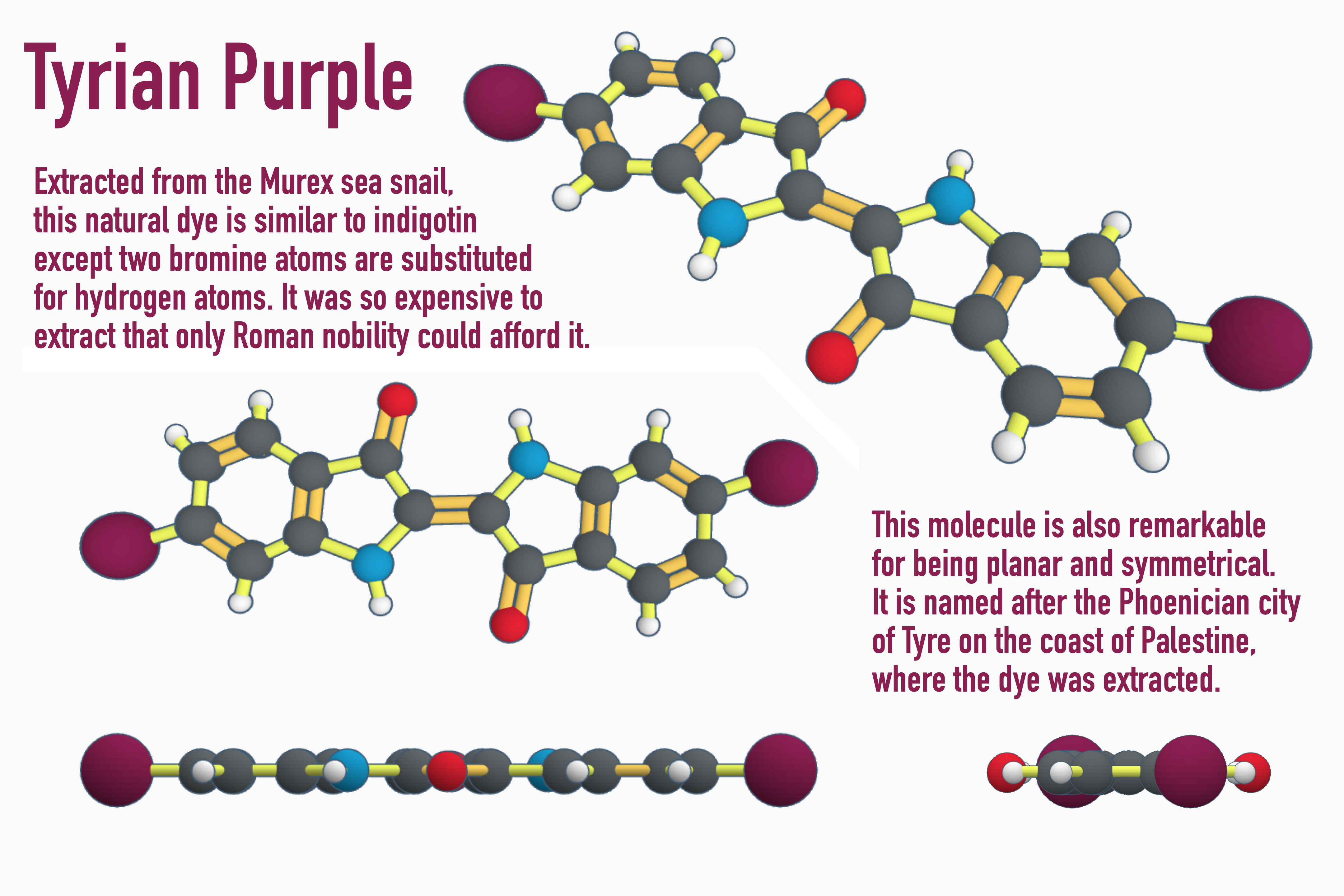
Students in a chemistry class can pick a favorite molecule (such as Tyrian purple) and create a 3D model in Tinkercad, then capture different angles to use in an illustration or poster inside Photopea or Canva. Or they could build a model of a space probe or a virus using Tinkercad or SculptGL.

Because some students will try to get away with doing the least amount of effort (which, of course, leads to the least amount of learning), it is necessary to build in structure and scaffolding with tight rubrics for what is expected. That is why I use peer critique and revision as an important component of this process. The students’ peers act as an audience for the projects, which must be presented as part of “gold standard” PjBL. Students provide feedback through a Google form on five aspects of project quality: Does the project show deep mastery of content? Does it demonstrate creativity? Is there evidence of high student effort and professionalism? Do they show competency with using the software? Are they able to effectively teach their topic/concept to their peers? Students use the forms to rate their peers using suggestions that are kind, specific, and useful (Berger, 2018) and if teams do not get the rating they desire, they are allowed to revise their project and re-present it to me for a better final score.

All of this is to explain to you how to implement these choices, projects, and videos in your own STEM classes. I am hoping to gather data by the end of the school year so that I can analyze the results and draw conclusions by the end of August and have my dissertation defense by October 2023. I hope that you can review the website and try out the projects and videos with your own students. Let me know if you would like to participate and I’ll have you sign the consent form (this is a requirement of my university’s IRB) and send you the assessment survey link, then you can report on how it goes, make suggestions, and send some student examples. If the students want recognition by name, they will need to sign consent forms along with their parents.

The benefits to your students is that they will learn the content of your class more thoroughly and deeply and learn valuable and marketable media design skills. It will be much more engaging and fun for them to create their own STEM media projects than it is to read a textbook and answer questions at the end of the chapter. Hopefully, they will be motivated by the project to learn the concepts on their own. They will be recognized for their creativity.

As a final project, students can prepare mini-lessons, presentations, activities, and handouts for a STEAM Showcase night at the end of the school year. Here, students are demonstrating how to make soap for their siblings and parents.

The benefits for you as a teacher will be to see alternatives for project-based learning, with flipped video instruction already provided so that you don’t have to build it all yourself. You choose the topics the student teams can choose from, provide them with examples and scaffolding for the content, and allow them to create something useful that you could show to future groups of students. You’ll also get to participate in advancing methods for teaching STEM courses. At the end, once the dissertation is successfully defended and edited, I will send you the final version which could be helpful to enhance your own teaching. While you are at it, try out the videos yourself and increase your own media design skills. I find them to be very useful as a teacher. One final benefit to you is the future possibility of grant money; I hope to extend this project beyond the dissertation and apply for grants with the NSF and others, which you would be the first in line to be part of. Those teachers who participate now will be the first I will consider for the grants. I wish that I could offer a stipend for your participation now, but that will come eventually.

Once again, the website is: https://science-creativity.com (remember that everything on the site is entirely free. You have my permission to use any idea or document posted there). I can be contacted at: elementsunearthed@gmail.com or by adding a comment to this post. I hope you choose to participate – it will be well worth the effort.

Thank you for reading this and for considering my invitation.

Here is the Choice Matrix PDF:

Read Full Post »